Botkeeper
Automated bookkeeping platform sold to accounting firms, combining machine learning categorisation with human review.
What is Botkeeper?
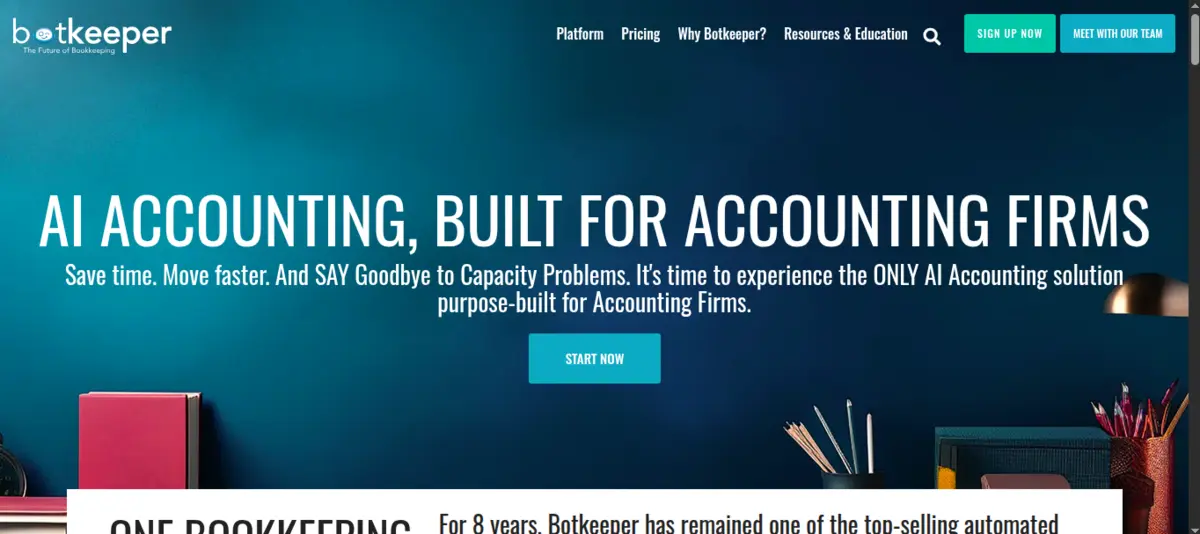
Botkeeper is an automated bookkeeping platform designed specifically for accounting firms rather than individual businesses. It sits on top of existing accounting software - primarily QuickBooks and Xero - and uses machine learning to categorize transactions, reconcile accounts and flag items that need human attention. The platform handles the repetitive daily bookkeeping work that would otherwise require junior staff, while routing exceptions and unusual transactions to skilled reviewers.
The system connects to a client’s bank feeds, credit cards and other financial data sources, then applies categorization rules it learns over time from each client’s transaction patterns. Reconciliation runs continuously, and a dashboard gives firm staff a real-time view of which client books are clean and which need intervention.
Firms using Botkeeper present it under their own brand. The client-facing experience carries the firm’s name and logo, not Botkeeper’s. This white-label approach lets firms offer technology-enabled bookkeeping as a premium service.
Where it shines
The multi-client management capability is Botkeeper’s primary advantage. Accounting firms juggling dozens or hundreds of bookkeeping clients face a staffing challenge - each new client traditionally requires proportional headcount. Botkeeper breaks that pattern by automating the bulk of categorization and reconciliation work across the entire client portfolio, letting existing staff handle a larger book of business.
The machine learning categorization improves over time for each client. After a few months of corrections and confirmations, the system learns vendor patterns, recurring transactions and preferred GL mappings. The error rate drops steadily, and flagged transactions become genuinely ambiguous items rather than routine ones the system should have caught.
The exception-based workflow is well designed for firm operations. Rather than reviewing every transaction, staff focus only on flagged items - unusual amounts, new vendors, transactions that do not match established patterns. This shifts the work from tedious data entry to judgment calls, which is a better use of trained accountants’ time.
Where it falls short
Botkeeper is not available directly to businesses. A company that wants automated bookkeeping without going through an accounting firm will need to look at alternatives. This channel-only model limits the addressable market and means the end-client has no direct relationship with the technology provider.
The quality of output depends heavily on how well the initial data feeds and chart of accounts are configured. Firms that rush the onboarding process or connect messy data sources will spend more time correcting errors than they save. The platform works best when the underlying accounting file is already reasonably organized.
Pricing is structured for firms managing multiple clients, which means a firm with only a handful of bookkeeping clients may not see enough cost savings to justify the subscription. The economics improve with scale - firms with twenty or more clients hit the sweet spot.
Conclusion
Botkeeper fills a specific and valuable niche - helping accounting firms scale their bookkeeping practice without proportional hiring. The combination of machine learning categorization, exception-based review workflows and white-label client portals makes it a practical choice for growth-minded firms. It is not for businesses seeking direct bookkeeping automation, and firms need to invest in proper setup to see the full benefit, but for its target audience, Botkeeper delivers a workable model for doing more with existing staff.