QuickBooks with Intuit Assist
The default small business ledger, now with an AI assistant for categorisation, invoices and cash flow questions.
Visit QuickBooks with Intuit Assist →
What is QuickBooks with Intuit Assist?
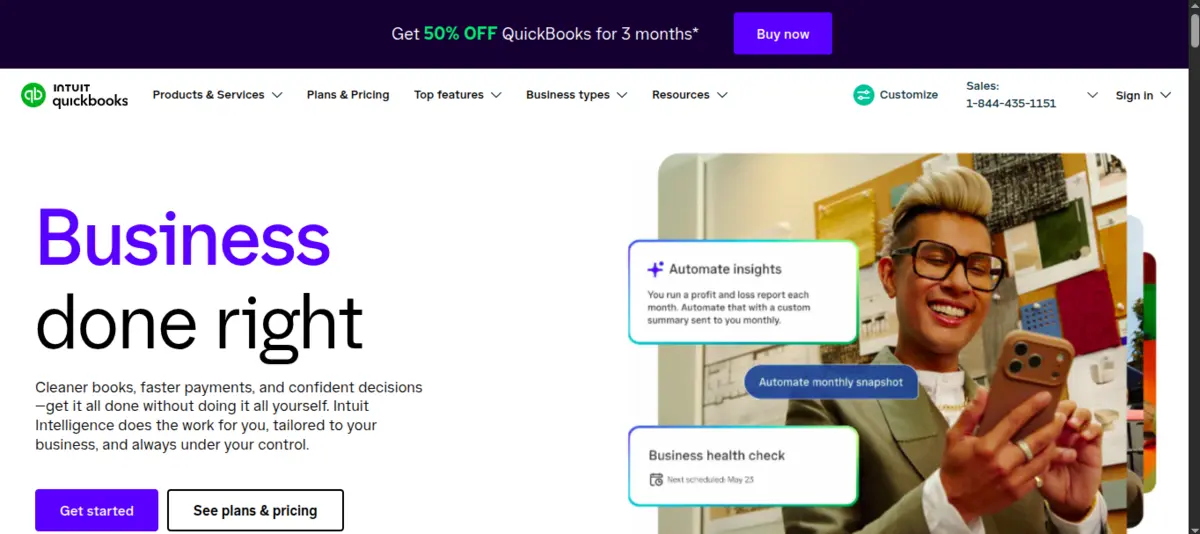
Intuit Assist is the AI layer built directly into QuickBooks Online. It drafts transaction categories as bank feeds arrive, generates and sends invoice payment reminders, and answers plain-English questions about cash flow, revenue trends and outstanding balances. There is nothing to install or connect - if the books live in QBO, Intuit Assist is already running in the background. It also helps draft professional customer-facing emails, suggests expense categorisations based on past patterns, and surfaces anomalies that might indicate duplicates or coding errors.
The assistant learns from corrections. When a user overrides a suggested category, Intuit Assist adjusts its model for that vendor going forward. Over a few weeks of regular use, the suggestion accuracy on bank feeds climbs noticeably, which reduces the time accountants spend on monthly reconciliation.
Where it shines
The zero-setup experience is the biggest draw. Small business owners who already pay for QuickBooks do not need to evaluate a separate AI product, negotiate another contract, or worry about data leaving their accounting system. The AI features appear inline - right where the work happens - rather than in a separate dashboard.
Bank feed categorisation improves quickly after a handful of corrections, which makes the tool progressively more useful the longer you use it. Invoice reminders written by Intuit Assist tend to outperform the stock QBO templates because they incorporate context like the customer’s name, invoice amount and days overdue in a natural-sounding message. For solo operators or small firms without a bookkeeper on staff, the ability to ask “how much did I spend on software last quarter?” and get an instant answer saves real time.
Accountants serving many small business clients benefit too. Intuit Assist handles the repetitive categorisation grunt work across client files, freeing advisors to focus on higher-value conversations.
Where it falls short
Intuit Assist is only as reliable as the data underneath it. If the chart of accounts is messy, categories are inconsistently applied, or bank rules conflict with one another, the AI will confidently suggest wrong answers. It has no way to flag that the underlying structure needs cleanup - it just works with what it has.
Multi-entity businesses or organisations that need consolidated reporting will hit the ceiling quickly. QuickBooks Online is fundamentally a single-entity ledger, and Intuit Assist does not change that. Complex intercompany transactions and consolidated financials remain outside its comfort zone.
Pricing is another pain point. Intuit frequently adjusts its tier structure, promotional rates expire without warning, and not every plan includes the full Intuit Assist feature set. It is worth confirming exactly which AI capabilities are included at the plan level you are on before relying on them.
For businesses that want a ledger designed around AI from the start rather than AI added on top, Digits takes a different approach. And if the preference is Xero over QuickBooks, Xero with JAX offers a comparable AI assistant experience on that platform.
Conclusion
QuickBooks with Intuit Assist is the path of least resistance for small businesses that already use QBO. The AI features genuinely reduce bookkeeping busywork - especially bank categorisation and invoice reminders - without requiring any migration or new tooling. Just keep the books clean, because the assistant amplifies whatever state they are in, good or bad.